SwitchUnderline and TrackUnderline your input sources with ease

Input Source Pro is an app for multilingual Mac users, providing numerous intuitive features such as automatic keyboard switching based on the app in use or the website being browsed, and an elegant display of the current input source.

Input Source Pro 2.10.0

Download

What's new

  • Added Settings Backup, which lets you export and import supported settings, including app and browser rules, color settings, hot key groups, and recorded shortcuts.
  • Added a CJKV fix method that briefly shifts focus so macOS settles on the selected input source after switching.

Improvements

  • Improved app-specific keyboard switching so selections tied to specific input modes are preserved more reliably (by lqb).
  • Fixed modifier shortcuts that could freeze after rapid CJKV switching (by Sergey Nosenko).
  • Fixed missing English punctuation mappings when Force English Punctuation is enabled.

Input Source Pro 2.9.0

Download

Improvements

  • Added support for shortcuts that use multiple modifier keys together (e.g., Shift + Command).
  • Improved input source switching logic for more consistent behavior.
  • Fixed an issue where input sources could rapidly switch back and forth.
  • Fixed punctuation replacement so it now respects Shift and outputs the correct symbols.

Input Source Pro 2.8.0

Download

Big update! 🎉 After a lot of waiting, some of the most requested features are finally available. 🚀

What's new

  • Added single-modifier shortcuts: press or double-tap Left/Right Shift/Control/Option/Command to switch input sources.
  • Added per-app function key mode (F1-F12 vs. media keys), so each app can use your preferred behavior.

Improvements

  • Improved input source switching for faster, more consistent results.
  • Fixed on-screen indicator positioning in some setups.
  • Fixed rules list refresh issues and missing icons in the app rules picker/details UI.

Input Source Pro 2.7.0

Download

🎆 Happy New Year!

It's amazing to see the community growing! This update is special because it includes contributions from several first-time contributors. A huge thank you to everyone who took the time to improve Input Source Pro. Your efforts are truly appreciated!

What's new

  • Added "Fix Cursor Lag Issues" to the Troubleshooting section (by Xicrosoft).
  • Added per-app option to force English punctuation (by neow021).
  • Added support for Dia browser (by Xicrosoft).
  • Added support for Zen browser (by nshcr).
  • Replaced emoji with SF Symbols for UI consistency (by Xicrosoft).

Input Source Pro 2.6.1

Download

😎 We Are Now Open Source!

After announcing that Input Source Pro would remain free forever, I decided to take it one step further and make it open source.

You can now find the code on GitHub under the GPL-3.0 license.

Life has gotten quite busy lately, so I might not be able to dedicate as much time to this project as I'd like (job hunting, interview preparation, and everything else). Still, I'll do my best to keep things updated and maintained.

Contributions are always welcome. Feel free to submit pull requests, report issues, or suggest new features.

Happy typing! 🫶

What's new

  • The beta tag has been removed! We might introduce a dedicated beta channel in the future with more frequent updates.
  • Added an announcement banner to let everyone know we've gone open source!

Input Source Pro 2.5.0-beta

Download

🎊 Happy New Year, everyone!

It's been a while since my last update. One big reason I haven't had much time for this project is that I became a father to a lovely baby boy! Taking care of a newborn is far more challenging than we expected, but thankfully, we're hanging in there 😮‍💨. That said, updates to Input Source Pro may remain infrequent over the next few months.

Many users have asked about Input Source Pro's pricing after the beta period, and I finally have an answer: Input Source Pro will remain free for everyone. I did consider introducing paid features, but it just didn't feel right. Switching between tasks and languages is such a fundamental need for multilingual users that it really should be handled by the operating system.

Although Input Source Pro will be free to use, there are still ways you can support its development:

  • Enjoying it? Sharing it with others would mean a lot. ❤️
  • Found it really helpful? You can also buy me a bubble tea. 🧋

Happy typing!

What's new

  • 👯 You can now switch between multiple input sources with the same hotkey.

Improvements

  • 🤖 Updated outdated dependencies.

Input Source Pro 2.4.0-beta

Download
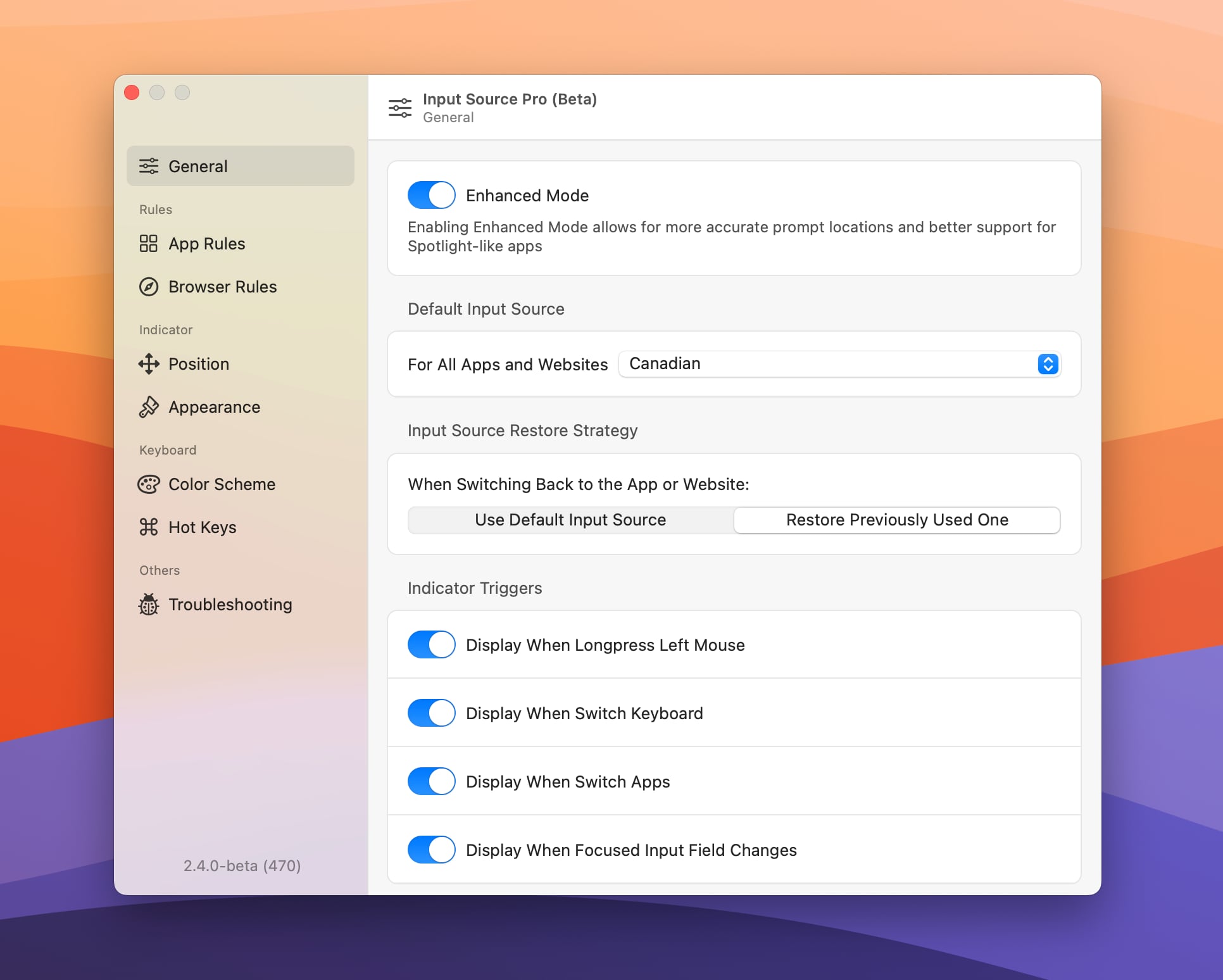
Screenshot 2023-06-10 at 10.29.08 PM.jpg

What's new

  • 💅 Redesigned the settings view for a better user experience.
  • 😎 Added the ability to set a default keyboard for the website you're currently visiting directly from the menu bar.

Improvements

  • 🐛 Fixed an issue where "Hide When Default Keyboard Rule Is Applied" did not work as expected.

Input Source Pro 2.3.0-beta

Download

🏳️‍🌈 Happy Pride Month!

It's already been a month since our last update, and we're excited to share the new features and improvements we've been working on. We hope they arrived without introducing new bugs. 🤞

What's new

  • 🦊 Support for Firefox is finally here!
  • 📝 Check out our brand-new Changelog page. We think you're going to love it!
  • 💅 The menu bar icon was redesigned for a fresh new look.

Improvements

  • We've adjusted the behavior of the full-size indicator so it no longer appears every time you focus a new input field within the same app.
  • Fixed an issue where enabling Browser Rules caused Chrome and other browsers to reopen after you quit them.

Lastly, Input Source Pro is now on Twitter! Follow us there for the latest news and updates. See you next time! 🫡